Review, compare and redline Word documents inside Claude and ChatGPT.
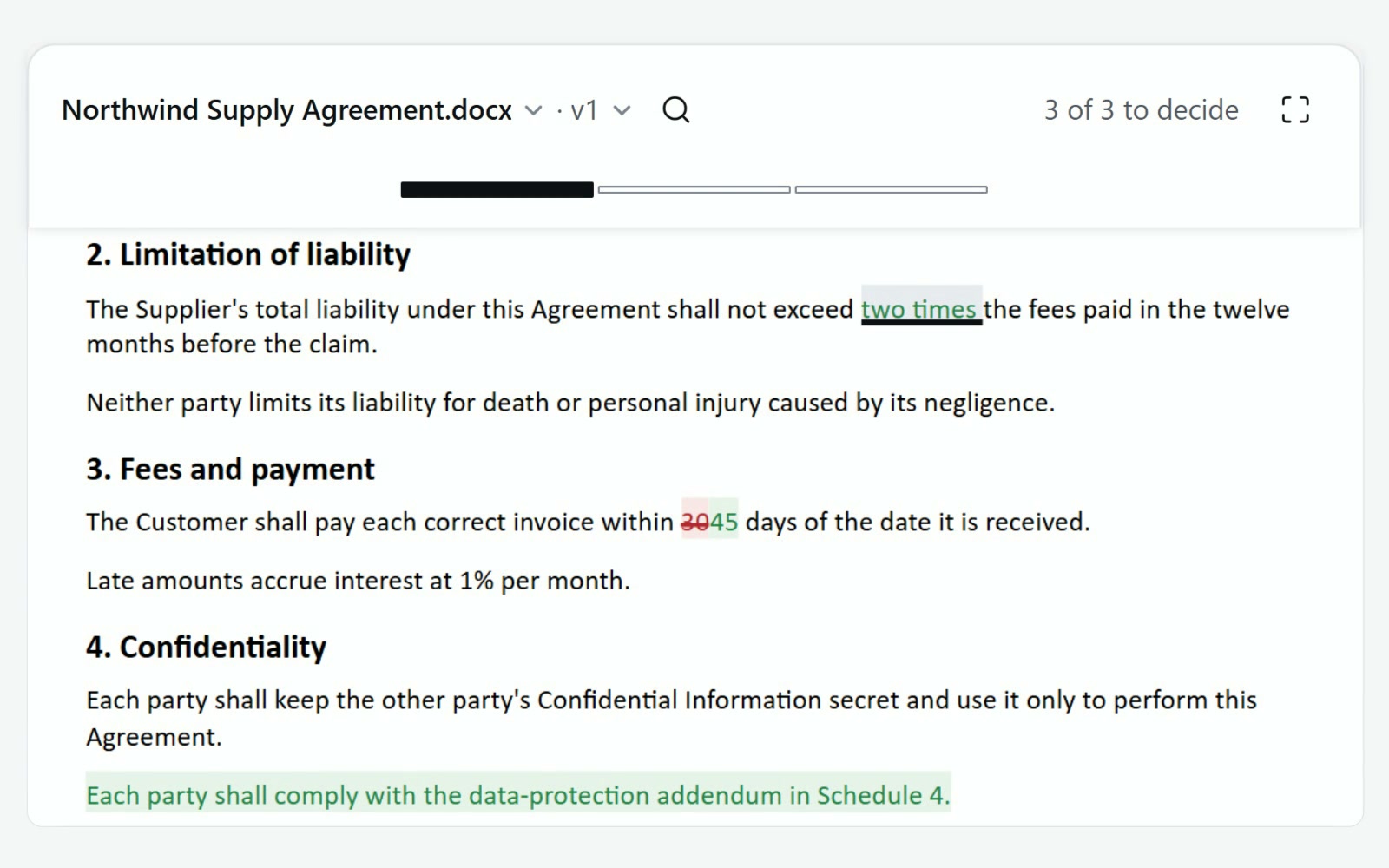
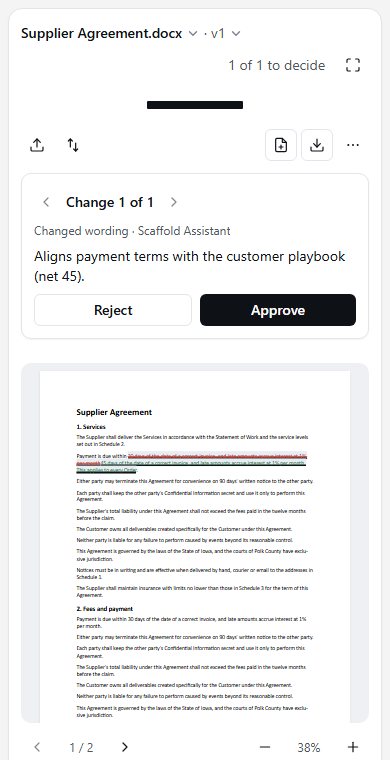
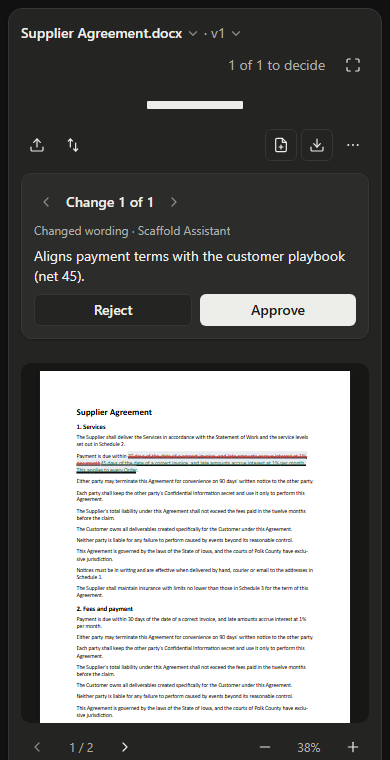
Your AI proposes the changes. Scaffold turns each one into a real Word tracked change with its reason, and keeps track of where you are in the document, so you don't have to.
No credit card required. Free, with no time limit.
Works inside Claude ChatGPT through the Scaffold MCP connector. No add-in, no desktop install.
Contract review output your team can actually use.
Claude and ChatGPT can analyze a contract, but they don't turn each recommendation into a Word file you can review. Scaffold does: tracked changes, version history and comparison, in the browser or inside your AI.
Every proposed change, one at a time.
Each edit your AI proposes carries its plain-English reason. Approve or reject it, and the Track moves you on to the next one. You always see how many are left. Page thumbnails mark where the changes are, so one click takes you to any page.


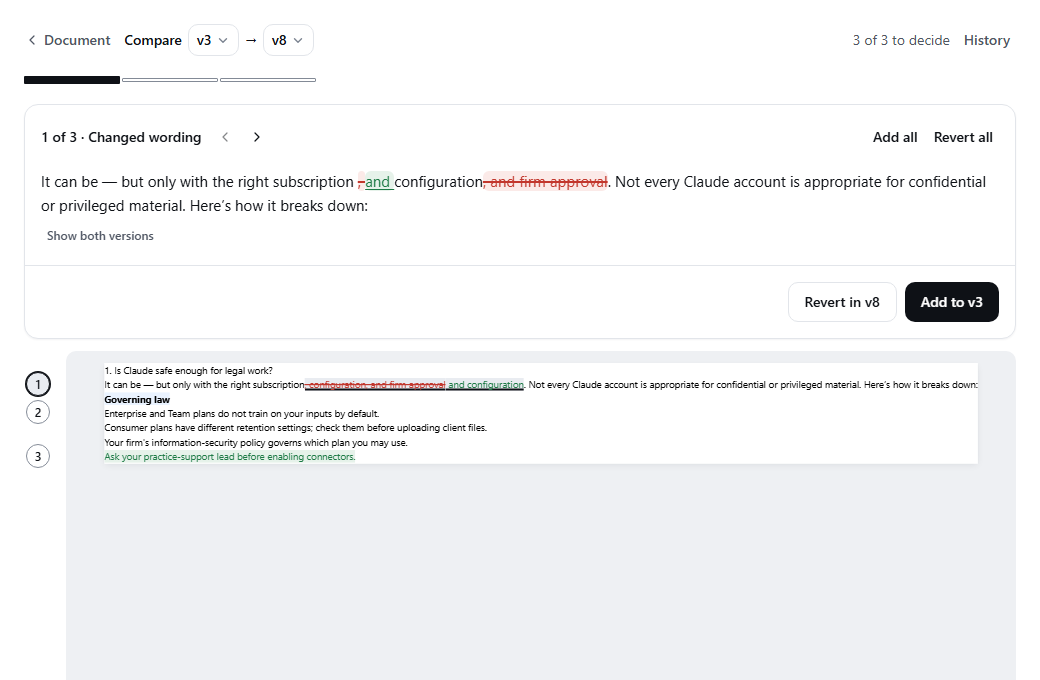
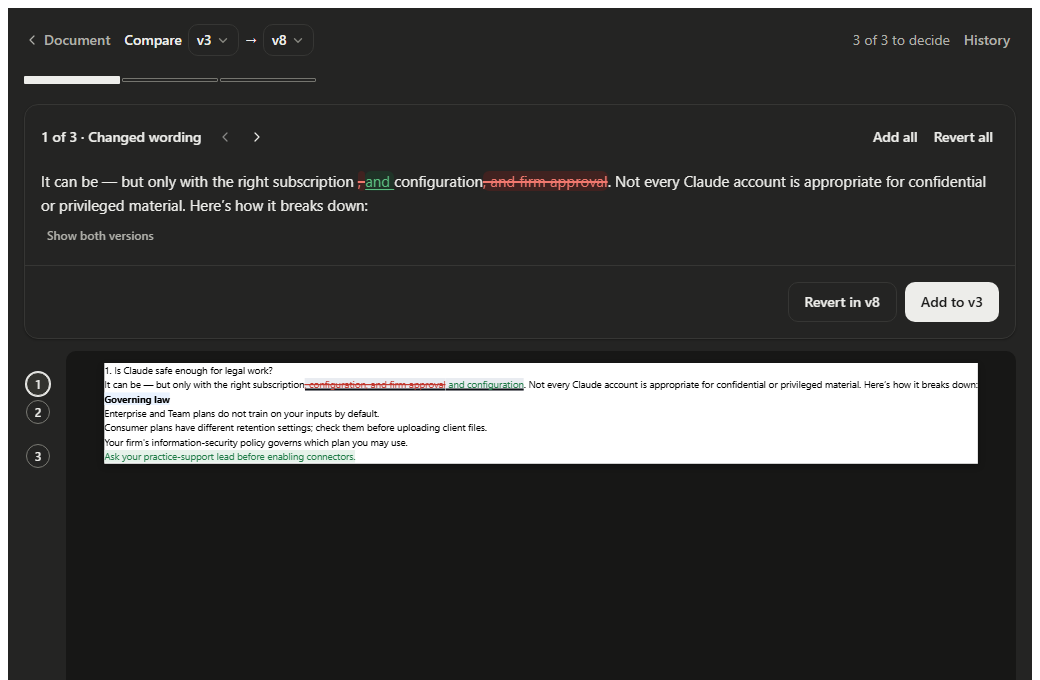
Compare two versions, word by word.
Pick any two versions and Scaffold shows what changed, down to the word. Add a change to the earlier version, or revert it in the later one.
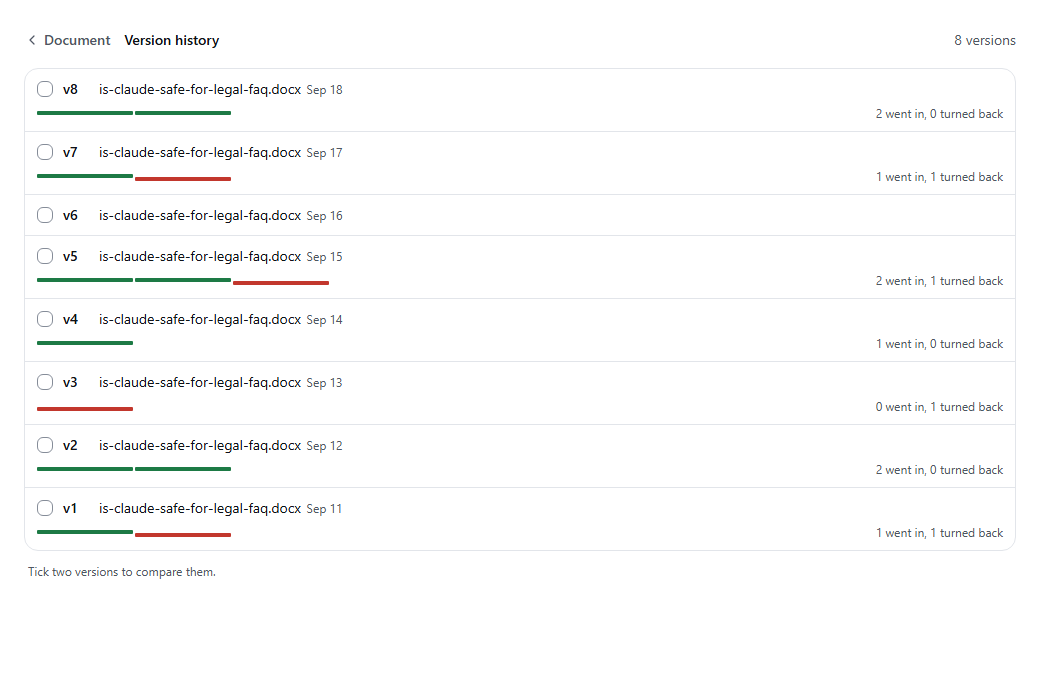
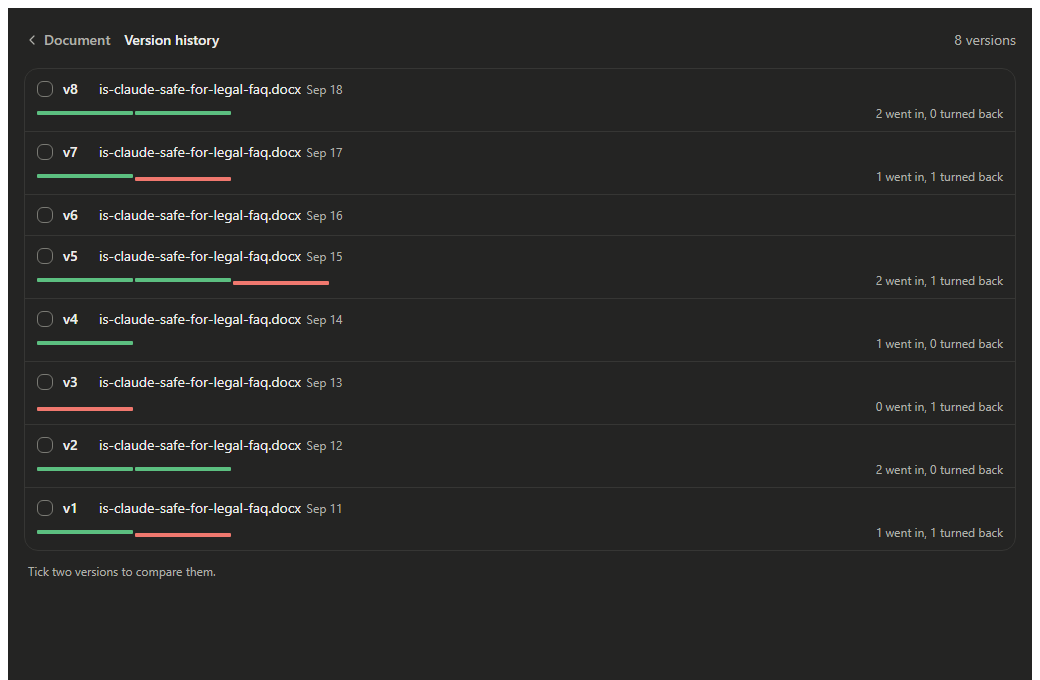
Every version, and what went in.
Each version keeps its own Track: green for what went in, red for what was turned back. Tick two versions to compare them.
From sign-up to your first reviewed document.
Four steps. You need an email address and a Claude or ChatGPT account.
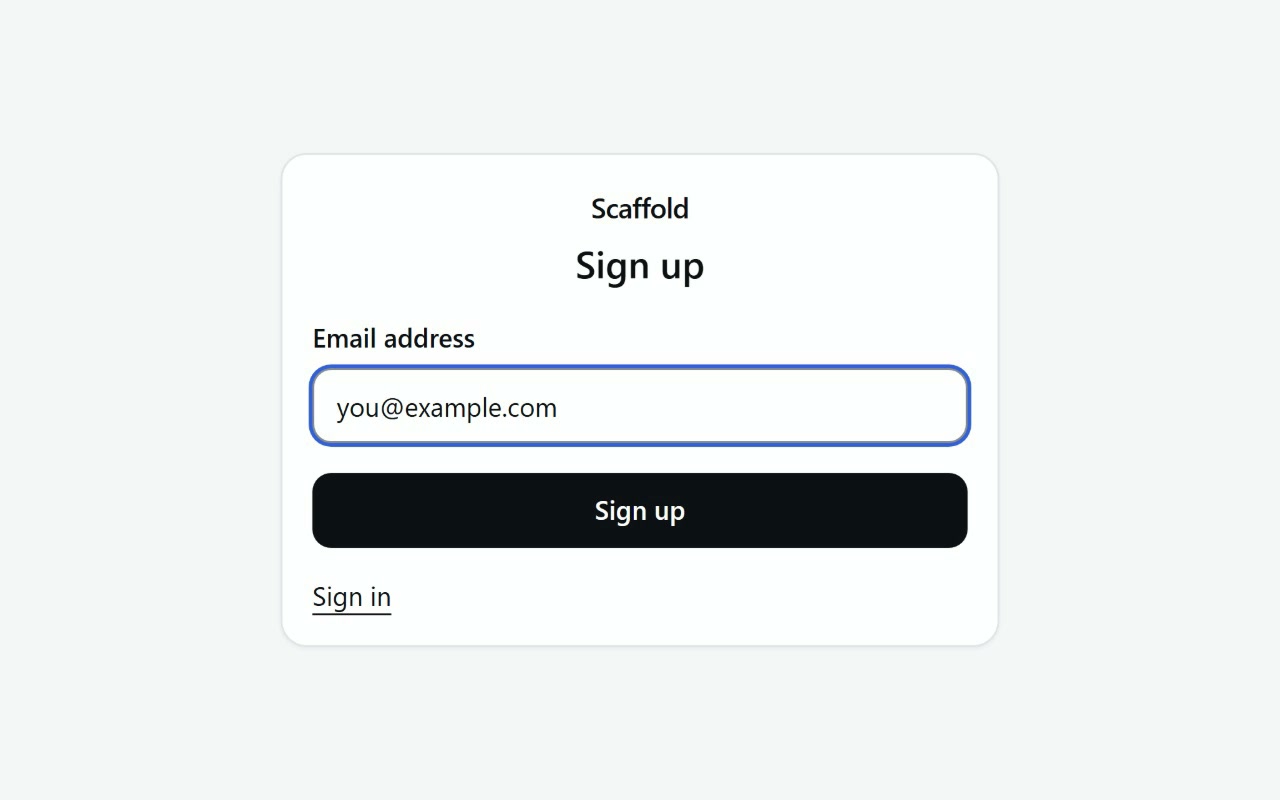
Step 1: Sign up with your email
Enter your email address and Scaffold sends you a sign-in code. There is no password to create and no card to enter.
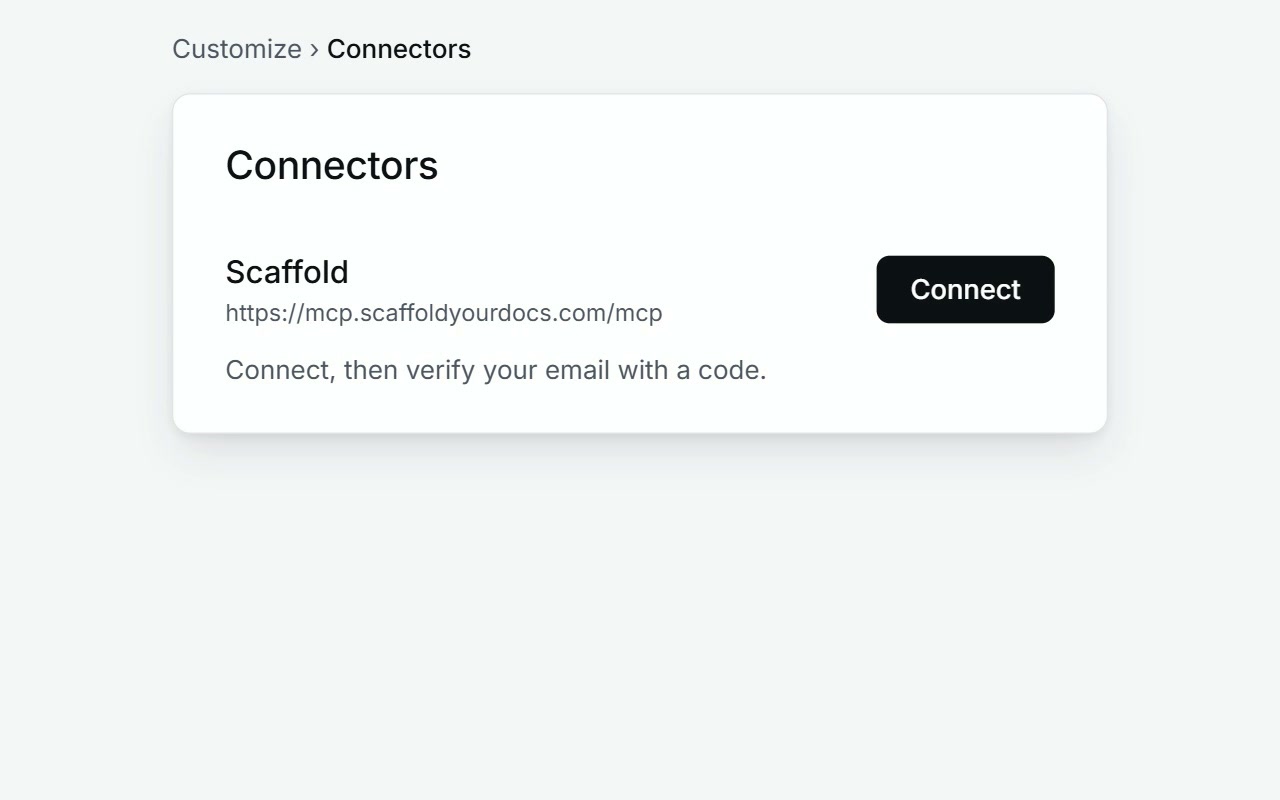
Step 2: Connect Scaffold to Claude
- Open Customize → Connectors → Add Custom Connector.
- Enter the name Scaffold.
- Paste this URL, then click Add:
https://mcp.scaffoldyourdocs.com/mcpClaude asks you to Connect. Verify your email with a code, and you're set.
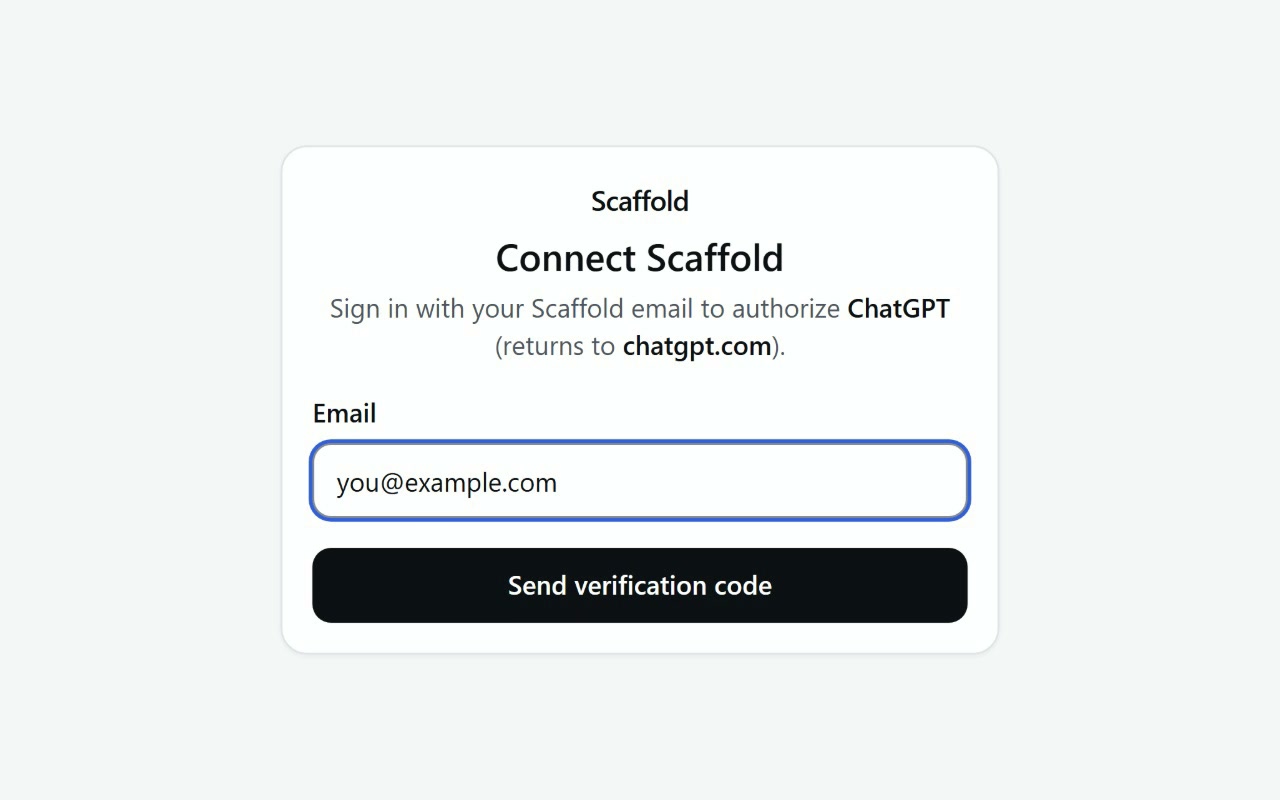
Step 3: Or connect it to ChatGPT
- Click your profile icon in the bottom left, then Settings.
- Open Apps, then Advanced settings, and turn on Developer mode.
- Click Create App, name it Scaffold, and enter the same URL.
ChatGPT takes you to Connect. Verify your email with a code, and you're ready.
Step 4: Ask for a review, then decide
Ask your assistant, for example:
Let's use Scaffold to redline a couple documents. Can you help me upload them?Scaffold opens the document in a pane beside the chat. Go through the changes one at a time and approve or reject each, then create the new version.
The full steps, and the API for your own code, are in the docs.
Start free, upgrade when you're ready.
Team
For teams.
- Unlimited documents
- MCP and API access
- Team visibility
- Admin controls
Enterprise
For organizations needing more.
- All Team features
- Self-hosting available
- Dedicated support
- Custom integrations
Ready to review documents inside your AI?
Turn Claude or ChatGPT contract analysis into Word redlines and comparisons. No credit card required.
Start free